
A Global Cybersecurity Advisor at ESET has warned that Amazon’s plans to enable the Alexa voice assistant to mimic human voices (dead or alive) could be used to launch deep fake audio attacks on some voice authentication security systems. The advice from some security experts is that, if Amazon goes ahead with voice mimicking for Alexa, it may be wise to switch from using voice authenticate e.g., for bank accounts to another verification method such as online banking via a smartphone.
Tag Archives: security

Security Stop-Press : Facebook Phishing Scam
Security company PIXM has warned of a Facebook scam, active since Q4 2021, which has ensnared nearly 10 million users. The credential harvesting scam uses a fake Facebook login page. When a user logs in, the threat actor gets their credentials and can then use an automated program to send out the link to the user’s Friends via Facebook Messenger. The advice is to take extra care with any messages received through Facebook Messenger.

Security-Stop-Press : Microsoft 365 Loophole Could Allow Ransomware Attack
Proofpoint researchers have reported finding a way that attackers could use a Microsoft 365 loophole to launch ransomware attacks. The method involves using compromised SharePoint Online or OneDrive accounts to reduce the (user-configurable) setting for the number or saved versions in SharePoint Online or OneDrive. Attackers can then encrypt files in those drives so that they are unrecoverable, have no backups, and no decryption key. Attackers could then demand a ransom to restore/recover the original files. The protection advice includes making sure that detection of file configuration changes for Office 365 accounts is switched on, implementing cloud security and threat intelligence, and implementing data loss prevention technology.
Security-Stop-Press : Snake Keylogger Malware Being Spread In PDF Files
Online security experts are warning people to take extra care when downloading PDF files after PDFs were recently used in campaigns to deliver Snake Keylogger malware. Snake Keylogger, which is eighth place in Check Point’s Global Threat Index, records a user’s keystrokes and transmits the collected data to cybercriminals. The advice is to use a robust email security solution that quarantines and inspects attachments.

Security-Stop-Press : Microsoft Office Users Warned About Word Malware Scam
Cybersecurity expert, Kevin Beaumont, has warned Microsoft Office users about a scam that uses a hole in a Microsoft Word. The scam, dubbed “Follina”, involves cybercriminals leveraging a Windows utility called msdt.exe to cause victims to download a malware-loaded Word file. The malware could allow attackers to run arbitrary code, install programs, change or delete data, or create new accounts. Microsoft has issued workaround guidance here.
Security Stop-Press : QuickBooks Customers Targeted By Phishing Attacks
Tax software vendor Intuit has warned that QuickBooks customers are being targeted with phishing attacks that are impersonating the company and are designed to lure targets with fake account suspension warnings. The phishing emails ask targets to click on a “Complete Verification” button which re-directs them to a phishing site designed to harvest personal information or infect their system with malware. The advice to QuickBooks customers is not to click any embedded links or open attachments, and to delete the messages from the inbox.
Security Stop-Press : Warning About Fake DHL Customer Support Chatbot Phishing Scam
Trustwave SpiderLabs cybersecurity researchers have warned that criminals are using fake DHL customer support chatbots to scam victims out of personally identifiable information and payment data. Victims are directed to the fake chatbots by a phishing email saying that the target has a parcel waiting with DHL, and further instructions are needed. The advice is to always be extra careful when receiving links and attachments via email.

Security Stop-Press : 50% Increase In Cyber Attacks On Corporate Networks In 2021
Figures from software technologies company ‘Check Point’ show that an upward trend of malicious activity through 2020 reached a peak of 925 cyber-attacks a week per organisation at the end of 2021. The result of this trend was a massive 50 per cent increase in cyber attacks on corporate networks in 2021, with education and research the most attacked sectors.
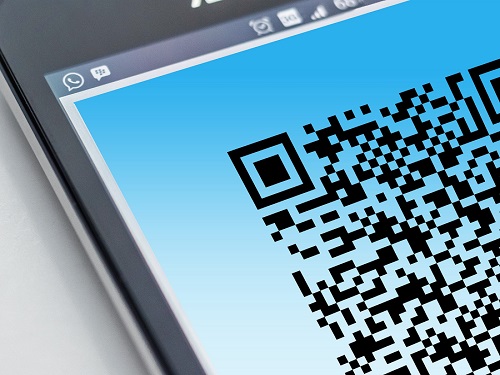
Tech Insight : QR Codes … A Security Risk?
In this tech-insight, we take a look at what QR codes are used for, review some well-known security risks, and outline what action you can take to protect yourself from malicious QR codes.
Quick Response (QR) Codes
A QR code is a machine-readable (e.g., by smartphones), matrix barcode invented in 1994 by the Japanese Toyota subsidiary automotive company Denso Wave as a way to track vehicles and parts during the manufacturing process. A QR code stores information as a series of pixels in a square grid that can be read in two directions, top to bottom and right to left.
How They Work
The three large squares outside the QR code show that everything contained inside the square is a QR code. Patterns in QR codes represent binary codes that can be interpreted to reveal the data. The codes can be read using built-in QR scanners or QR apps on smartphones (via the camera), iPads, tablets, and other devices.
Uses
QR codes can store website URLs, phone numbers, or up to 4,000 characters of text. These codes have multiple uses including sales and marketing (e.g. sending information about a business or product), or as a menu (for example) to be sent to a user’s phone. QR codes are also used for linking directly to download an app (Apple App Store or Google Play), postal services tracking, education, authenticating online accounts and verifying login details, accessing Wi-Fi (storing encryption details) sending and receiving payment information. QR codes have also recently been used in coronavirus tracing (apps).
Are They Safe?
QR codes themselves can’t be hacked and QR codes do not collect personally identifiable information, but they do collect other data such as location, the number of times a code has been scanned (at what time), and what operating system (iPhone or Android) is being used. Although this is generally a safe technology, consumer watchdog ‘Which?’ says of QR codes “not all of them are safe.”
Risks
Research (e.g. observations by the Unit 42 threat intelligence team at Palo Alto Networks) indicates that the proliferation of QR codes, particularly during the pandemic (good for ‘no-contact’) has meant that cyber criminals are discussing and exploring ways to exploit them.
Some of the risks associated with QR codes include :
– QR codes can’t be read by humans, so they are unable to see any potential risks just by looking at the code.
– Hackers can create malicious QR codes which direct users to fake websites / phishing websites that capture their personal data.
– Attackers can embed malicious URLs (containing custom malware) into a QR code, which could steal data from a mobile device when scanned.
– Malicious QR codes can be used to add contacts or compose emails on a user’s device, thereby posing security threats.
– Threat actors could present a malicious QR code with the promise of free internet-access, which could actually link to an unsafe Wi-Fi network where hackers could eavesdrop, intercept data, and steal personable identifiable information.
– Malicious QR codes can be used to cover up/replace legitimate QR codes.
Protection
Ways that you can protect yourself from threats posed by the use of malicious QR codes include:
– Only download QR scanning apps from trusted sources e.g., Apple’s App Store or the Google Play Store, and make sure that the app you download is backed by plenty of positive reviews.
– Use a QR scanner that checks that scanned links are safe before submitting any information to you.
– Check to make sure that the QR code you’re about to scan is being presented to you by a reputable source.
– Don’t scan a QR code if you’re not sure where it will lead and preview the website and domain to be sure.
What Does This Mean For Your Business?
QR codes are a convenient, fast, and flexible way to present data but, criminals/cybercriminals are always looking for new ways to operate scams such as phishing, and QR codes represent a possible new scamming opportunity.
Businesses can make sure that their own QR codes haven’t been tampered with or replaced with malicious versions by regularly carrying out integrity checks on their sites and apps (e.g. by scanning the code to check if the link within the QR code is correct). Businesses should also educate staff about how QR codes can be used by cyber criminals, while as individuals we should always use QR scanning apps from reputable sources and be cautious about scanning QR codes in unfamiliar locations and situations. It is also sensible to avoid using public Wi-Fi networks for business generally (without a VPN), and to avoid any ‘free Internet’ offers where there’s a QR code.

Five top tips to protect your personal data
43% of cyber attacks are aimed at small and medium-sized businesses. With technology continually evolving and cyber criminals rife in our society, it’s important to make sure your valuable personal data is protected. Read our top tips to ensure your personal data is safeguarded.

1. Change the default credentials of your devices
Your passwords and usernames shouldn’t be the same for multiple locations. For example, your Twitter password should be different to your email and banking passwords. Always use a varied combination of passwords for each new login. Complex passwords up to eight characters can still be hacked relatively easily. Instead, try putting a few words, numbers and special characters together. Have a read of our World Password Day blog for further advice
2. Keep on top of software updates
If your device or software has an update, you should always install it. Manufacturers will use their updates to fix any new bugs or security vulnerabilities they have identified. Newer operating systems and software updates are more secure and include features to maintain security.
3. Install anti-virus and keep it up to date
Computers and other devices are all susceptible to cyber-attacks. Having anti-virus is the first line of defence for your device. It will regularly run scans to make sure your device is protected from viruses. Keeping it up to date will ensure it is always working to protect your laptop.
4. Think before you click or open anything
When it comes to your computer, you are the first line of defence. If you see something that appears suspicious, do not open it. You can protect your device from viruses and unwanted scams by being wary of what you click. Hovering over the links in emails and pop ups will give you the chance to check it before you open and, if it seems suspicious, the advice is simple – don’t open it!
5. Have multiple backups of your data
Backing up your data to multiple places will mean it isn’t just stored on one machine. You should have multiple backups that are stored in separate locations and should be automatic to ensure your backup is always up to date. Making sure you regularly test your backups will be peace of mind that your data is stored securely.
Protecting your data and keeping your computer secure are of paramount importance. If you’re looking for the right IT solutions for you, see what SMY IT Services can offer.