With the Metropolitan Police Services’ (MPS) director of intelligence recently defending and pushing for a wider rollout of facial recognition technology, we look the current situation, the likely way forward, and its implications.
What Is Facial Recognition Technology?
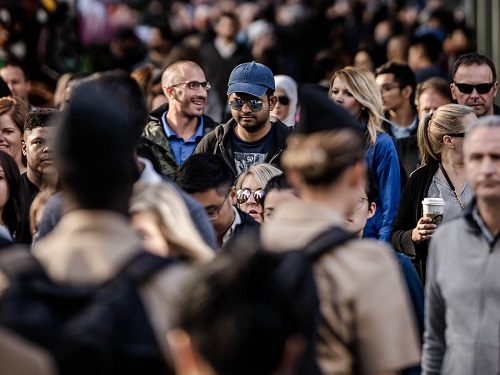
The kind of facial recognition technology called Live Facial Recognition (LFR) that police have used at special assignments and high-profile events (e.g. sports and other large public events) is a biometric technology system that maps facial features from a video (or still photo) taken of a person (e.g. while walking in the street or at an event). The video image is then compared to information stored in a police database of faces to find a match. The cameras are separate from the database which is stored on a server and the technology must, therefore, connect to the server to use the database and match a face in a specific area. Facial recognition is often involuntary, i.e. it is being used somewhere that a person happens to go – it has not been sought or requested.
Example Of Recent Use – The Coronation
The biggest live facial recognition operation in British history occurred back in May this year when it was used by London’s Met to cover the crowds at the coronation procession through London. The police said it was used to identify any attendees who were on a wanted list for alleged crimes, and any convicted terrorists in the crowds. It was reported that 68,000 faces were scanned.
However, some campaigners expressed concern that it was being used against protesters and Emmanuelle Andrews from the campaign group Liberty described the use of LFR at the coronation as “extremely worrying” and described LFR as “a dystopian tool and dilutes all our rights and liberties.”
Also, the Big Brother Watch privacy group commented that, “Live facial recognition is an authoritarian mass surveillance tool that turns the public into walking ID cards” and that “The coronation should not be used to justify the rollout of this discriminatory and dangerous technology”.
Sparse Use Up Until Now
The use of LFR by police in the UK has, however, been relatively sparse up until now, mainly because (as illustrated by some of the above comments) of a lack public trust in how and why the systems are deployed, how accurate they are (leading to possible wrongful arrest), how they affect privacy, and the lack of clear regulations to effectively control their use.
For example, the lack of public trust in LFR in the UK and other countries can be traced back to events like:
– In December 2018, Elizabeth Denham, the UK’s Information Commissioner launched a formal investigation into how police forces used FRT after high failure rates, misidentifications and worries about legality, bias, and privacy. This stemmed from the trial of ‘real-time’ facial recognition technology on Champions League final day June 2017 in Cardiff, by South Wales and Gwent Police forces, which was criticised for costing £177,000 and yet only resulting in one arrest of a local man whose arrest was unconnected.
– Trials of FRT at the 2016 and 2017 Notting Hill Carnivals leading to the Police facing criticism that FRT was ineffective, racially discriminatory, and confused men with women.
– In September 2018 a letter, written by privacy campaign group Big Brother Watch and signed by more than 18 politicians, 25 campaign groups, plus numerous academics and barristers, highlighted concerns that facial recognition is being adopted in the UK before it has been properly scrutinised.
– In September 2019 it was revealed that the owners of King’s Cross Estate had been using FRT without telling the public, and with London’s Metropolitan Police Service supplying the images for a database.
– In May 2020, a published letter by London Assembly members Caroline Pidgeon MBE AM and Sian Berry AM to the then Metropolitan Police commissioner Cressida Dick asked whether the FRT technology could be withdrawn during the COVID-19 pandemic on the grounds that it had been shown to be generally inaccurate, and this raised questions about civil liberties. The letter also highlighted concerns about the general inaccuracy of FRT and the example of first two deployments of LFR in 2020, where more than 13,000 faces were scanned, only six individuals were stopped, and five of those six were misidentified and incorrectly stopped by the police. Also, of the eight people who created a ‘system alert’, seven were incorrectly identified. Concerns were also raised about how the already questionable accuracy of FRT could be challenged further by people wearing face masks at the time to curb the spread of COVID-19.
– In May 2023, it was reported that South Wales Police had used facial recognition cameras at a Beyoncé concert “to support policing in the identification of persons wanted for priority offences”. The use of LFR at the concert was met with some criticism and it’s worth noting that, in an Appeal Court victory against the police in 2020 (dating back to an incident on 2017) the use of LFR in Wales was ruled as unlawful.
– In the EU, in January 2020, the European Commission considered a ban on the use of facial recognition in public spaces for up to five years while new regulations for its use are put in place.
– In the U.S. in 2018, a report by the American Civil Liberties Union (ACLU) found that Amazon’s ‘Rekognition’ software was racially biased after a trial in which it misidentified 28 black members of Congress.
– In December 2019, a US report showed that, after tests by The National Institute of Standards and Technology (NIST) of 189 algorithms from 99 developers, their facial recognition technology was found to be less accurate at identifying African American and Asian faces and was particularly prone to misidentifying African American females.
– In October 2021, the European Parliament adopted a resolution calling for a ban on the use of AI-based predictive policing systems and the processing of biometric data that leads to mass surveillance.
Calls To Use Routinely On Body Cams
Most recently, in May this year, as revealed in a document produced for the surveillance camera commissioner, UK government ministers were shown to have been calling for LFR to be “embedded” in everyday policing, perhaps by linking it to police bodycams while officers patrol the streets. For example, it was reported that the document said that policing minister Chris Philp had expressed his desire to embed facial recognition technology in policing and is considering how the government could support the police on this issue. It was also reported that Home Office spokesperson had confirmed that the government backed greater use of facial recognition saying, “The government is committed to empower the police to use new technologies like facial recognition in a fair and proportionate way. Facial recognition plays a crucial role in helping the police tackle serious offences including murder, knife crime, rape, child sexual exploitation and terrorism.”
Parliamentary Commission
Following reports that the policing minister has pushed for facial recognition to be rolled out across police forces nationally, and the EU recently moved to ban facial recognition technology and predictive policing systems (based on profiling, location, or past criminal behaviour) through its upcoming AI Act, there was a parliamentary commission meeting last month on the subject. The meeting was for MPs to examine the Metropolitan Police’s use of LFR technology at the coronation, and potential future AI-based tools. The director of intelligence at the Metropolitan Police Services (MPS), Lindsey Chiswick, defended the use of facial recognition technology and made the points that:
– There are many operational benefits of facial recognition technology, including significant arrests related to drug supply, assault, possession of drugs, and escaped prisoners. She clarified that the technology is a precision-based tool aimed at identifying individuals wanted for serious crimes rather than a mass surveillance or mass arrest tool.
– It is important to assess the necessity and proportionality of each facial recognition deployment and LFR is not a just fishing expedition but focuses on areas with public concern about high levels of crime.
– A recent study commissioned by the MPS, conducted by the National Physical Laboratory, aimed at trying to understand bias in the facial algorithm and ensure the fair and equal use of AI. The study found no statistical significance in demographic performance when certain settings are used in the live-facial recognition system.
– Simplified oversight rather than additional layers of oversight of the technology are preferred, and the right questions need to be asked to ensure appropriate use of the technology.
However, despite Lindsey Chiswick’s support for facial recognition technology, other experts have called for comprehensive biometrics regulation and a clear regulatory structure focused on police data use and AI deployment. Concerns have been raised, for example, by biometrics commissioners regarding the unlawful retention of custody images and other biometric material used to populate the watchlists. Also, various bodies, including Parliament and civil society, have called for new legal frameworks to govern law enforcement’s use of biometrics.
The government maintains that there is already a comprehensive framework in place.
The Future
In addition to perhaps being linked up to police bodycams, possible future developments in LFR and its use could include:
– Being used to monitor anyone who wants to exercise their right to protest (as feared by right groups).
– CCTV networks of UK cities or regions could be linked up to facial recognition software.
– Being used more widely in access control systems in secure facilities, such as government buildings, airports, or corporate offices. It can provide fast and convenient identity verification, replacing traditional methods like keycards or PIN codes.
– LFR could enhance the retail experience by being used to recognise loyal customers, personalising interactions, and enabling targeted marketing campaigns based on customer profiles and preferences.
– Being used in transportation hubs, such as airports or train stations, to verify passenger identities and improve border control processes (FRT is already used). It can aid fast identification of individuals on watchlists, prevent identity fraud, and enhance security measures.
– Use in public health and safety. For example, in the wake of a global health crises, LFR could potentially be used to identify individuals who may be violating quarantine protocols or have symptoms of contagious diseases, aiding public health efforts.
– LFR may be integrated with other emerging technologies such as augmented reality, IoT (Internet of Things), or edge computing to enhance its capabilities and provide more context-aware and efficient solutions.
In terms of future developments, some areas that could see advancements include:
– Accuracy and reliability. Continued research and development efforts are aimed at improving the accuracy and reliability of LFR systems, reducing false positives and false negatives, and addressing biases related to demographics or environmental factors.
– Privacy and data protection. Future developments will likely involve implementing privacy-enhancing measures such as robust data encryption, secure storage and adherence to privacy regulations, while ensuring that LFR technologies respect individuals’ privacy rights.
– Transparency and accountability. Efforts may be made to increase transparency in LFR systems, including providing clearer explanations of how decisions are made, disclosing the sources and quality of data used, and enabling independent audits or oversight of system usage.
– Bias mitigation and fairness. Research and development will likely focus on minimising biases in LFR algorithms, ensuring fair and equitable performance across different demographic groups, and establishing methods for ongoing evaluation and auditing of algorithmic fairness.
– Ethical frameworks and regulations. As LFR technology advances, there will be an increasing need for comprehensive ethical frameworks and regulations to govern its use, addressing issues like consent, lawful deployment, and safeguards against potential misuse.
– Collaboration and standards. Industry collaboration and the establishment of standards, a regulatory structure, and best practices can contribute to the responsible development and deployment of LFR technology, ensuring interoperability, transparency, and accountability across different systems and organisations.
– Clarity about where the responsibility lies. At the moment, many bodies form part of the LFR chain, but there is no one single body with overall responsible for its use.
– Improved oversight and legal frameworks for police use of biometrics.
What Does This Mean For Your Business?
The case for AI-based facial recognition systems such as LFR being used in mass surveillance and predictive policing (and perhaps soon in general policing via bodycams) is supposed to help tackle crime in an intelligent, targeted way. The reality (to date) however, has been cases of misidentification, examples of racial bias, strong resistance from freedom groups on matters of privacy, questions about value for money, and questions about ethics, all of which have diminished public trust in the idea. Also, there is a strong feeling that the use and rollout of this technology has happened before the issues have been studied properly and legislation/regulations put in place to offer protection to citizens.
The current state and potential future of LFR technology have significant implications for businesses in the UK. As discussions around its adoption and regulation continue, it’s important for businesses to consider several factors.
Firstly, LFR technology for use by businesses rather than by police, holds the potential to enhance security measures and operations for businesses. By integrating it into access control systems, companies can ensure swift and efficient identity verification for employees and visitors. Additionally, linking CCTV networks with facial recognition software can enable real-time monitoring and identification of individuals, bolstering overall security protocols.
Moreover, LFR has the power to revolutionise the customer experience. By recognising loyal customers, businesses can personalise interactions, tailoring marketing campaigns to customer profiles and preferences. This heightened level of personalisation could lead to increased customer satisfaction, loyalty, and ultimately, improved sales.
However, amidst the potential benefits, businesses must also be mindful of privacy and data protection concerns. As LFR technology advances, there will likely be increased scrutiny on compliance with regulations and privacy-enhancing measures. Secure data storage, encryption, and transparent practices will be essential to address customer concerns and maintain trust.
Collaboration and the establishment of industry standards are crucial to the responsible development and deployment of LFR technology. Businesses should actively participate in discussions and contribute to shaping ethical frameworks and regulations. This collaborative effort will ensure interoperability, transparency, and accountability across different systems and organisations.
It is also important to be mindful of the impact LFR may have on protests and public sentiment. As concerns about surveillance and civil liberties arise, businesses in areas where LFR is being used may worry about the public reaction and potential damage to their premises. Businesses wanting to use LFR themselves in the future would (as the police must) need to carefully consider how their use of LFR technology may be perceived by customers, employees, and the general public.
Looking ahead, businesses should stay informed about advancements in LFR technology, such as improved accuracy, reliability, and fairness. Exploring potential applications in areas like public health and safety, transportation hubs, and augmented reality can present new business opportunities and competitive advantages.
Amidst ongoing developments, for now, matters of responsibility and oversight remain crucial issues, as does how to win public trust over the use of LFR in any capacity. The responsibility for LFR implementation and regulation is still evolving, and businesses should proactively understand the legal and ethical implications. Supporting comprehensive biometrics regulation and advocating for clear regulatory structures will help ensure the responsible use of LFR by police and other entities.
The implications of LFR technology for businesses in the UK are, therefore, multi-faceted. Careful evaluation of its benefits and risks, alignment with legal requirements, privacy considerations, and public sentiment are essential for businesses to understand this evolving landscape.