All posts by Paul Stradling

Tech News : Heated Seats ‘as a Service’

BMW UK is now offering ConnectedDrive owners Front Seat Heating for a £15 per month or £150 per year subscription.

BMW ConnectedDrive Services 

BMW ConnectedDrive Services use the smart / Internet connected element of the car to enable owners to use software to activate more services in the car by paying a subscription for each, without needing to visit a dealer to activate them. Subscriptions can be purchased for features such as Adaptive Suspension, Drive Recorder, Safety Camera Information (traffic camera alerts), High Beam Assistant, Steering Wheel Heating, and more.

Front Seat Heating 

The new Front Seat Heating feature can be enabled following a subscription sign-up, using an “over-the-air remote software download”. The service enables the front seats heating to be activated so that the seats warm-up “in no time” and can be individually adjusted in three levels, with the service heating the seat cushion, side bolsters, and backrest.

Other Car Companies Also Offering Subscription-Based Extras 

Other companies also offering subscription-based extras include:

– Tesla. The company started a rear heated seats service back in February 2020 for its Model 3 Standard Range and Standard Range Plus as a new over-the-air upgrade. Since then, it has added more options.

– Toyota. Last December it announced that it would be charging for a remote start key fob feature.

– General Motors. The company is reported to have added a $905+subscription for GM’s OnStar Connected Services to Buick and GMC vehicles.

Huge Revenues To Be Made From Subscriptions For Extra Services 

With these types of subscriptions, car companies appear to have found a way to increase the revenue they can make from each car on top of the sale itself, although many cars may be leased or offered as a subscription service anyway. For example, Stellantis, the world’s sixth-largest automaker has said that software subscriptions could enable it to be making $4.5 billion in annual revenue, perhaps as soon as 2026.

Criticism 

Although software subscriptions may be good news for car makers, customers have been critical of the idea. Some of the main criticisms include:

– Owning a car should mean owning everything in it instead of only actually purchasing part of it and being forced to rent other parts.

– Car manufacturers are effectively putting software blocks on part of the car which owners must pay to remove.

Benefits 

Some of the benefits of the subscription services could include:

– Giving owners of a second-hand vehicle the opportunity to add the original features of the car that the previous owner may not have used.

– Owners can purchase a short-term trial of a feature, meaning that they don’t need to fully commit to paying for a feature until they’re happy with it.

What Does This Mean For Your Business? 

The pandemic saw car manufacturers’ profits hit by a slump in demand and there are now many different ways to ‘own’ a car. Also, making many different variations of a car model can add costs. Technology, i.e. a ‘smart’ car and the use of software, plus a marketplace that is used to a subscription economy, have given car manufacturers an opportunity to dramatically increase their revenue from vehicles. Producing a car that already has the hardware built-in but is controlled by software blocks gives car manufacturers a way to reduce some costs and offer a faster and easier way to offer customers a kind of customisation. These subscriptions may, however, put pressure on dealerships because they are bypassed in the process. For many motorists, however, there is feeling that buying a car may no longer mean owning all of it, rather just buying the basics and having to essentially rent other parts of it, thereby raising questions about whether it fair or ethical. The situation could also result in complications over the right to repair, contractual and legal challenges, and security.

Tech News : Subway Surfing : Tube Talk

Vodafone and Virgin Media O2 have announced that their customers will be joining both Three and EE’s customers in having access to high-speed mobile connectivity on London’s Tube network, including within the tunnels.

Joined BAI 

As confirmed by Sadiq Khan, the Mayor of London, Vodafone and Virgin Media O2 have joined BAI Communications’ 4G and 5G-ready mobile network, meaning that all four mobile network operators are now offering mobile connectivity across the London Underground. In June last year, Transport for London (TfL) awarded a 20-year concession to BAI Communications (BAI) to enable mobile coverage on the whole Tube network by 2024 which, up until now, has been one of the most high-profile UK mobile ‘not-spots’. BAI is a leading global provider of 4G and 5G connected infrastructure which has already deployed communications networks in dense urban environments across the world, including New York, Toronto, and Hong Kong.

Work Under Way 

4G mobile coverage has already been introduced to the eastern half of the Jubilee line and work is currently underway to deliver 4G and 5G connectivity across the whole Tube, with the first stations being Oxford Circus, Tottenham Court Road, Euston, Bank and Camden Town, all due to go live by the end of this year.

Backbone Across London 

BAI says that its concession will see it providing a backbone of mobile and digital connectivity across London, and the intention is to run 2,000 kilometres of high-capacity full fibre cabling through London’s Tube tunnels which can be connected to buildings, street lighting, and bus stops. BAI also says that such a network could deliver “gigabit-capable speeds” and support digital inclusion.

Vodafone 

Vodafone, which made itself unpopular with Tube travellers back in June 2021 by withdrawing its free Wi-Fi from the Underground network, said about joining BAI’s Underground 4G network: “The UK needs world class digital infrastructure, and bringing 4G and 5G to the London Underground is a big part of that. 4G on the eastern stretch of the Jubilee line is already making a huge difference to our customers, and we’re proud to continue our investment in keeping consumers and businesses connected across more parts of London” (Ahmed Essam, CEO).

O2 Says… 

O2 / VMO2’s CEO, Lutz Schüler, said: “With our 5G network already reaching two-thirds of Londoners, this investment will bring next-generation mobile connectivity deep underground for the first time ever, giving our customers a seamless service while on the move. We’ve already invested hundreds of millions of pounds in the capital to expand and upgrade our fixed and mobile networks which has accelerated London’s transformation into a cutting-edge digital hub, fuelling growth and connecting communities to gigabit services.”

What Does This Mean For Your Business? 

It has been frustrating to Londoners (and visitors) for such a long time that a major transport network in the capital has been a ‘not-spot,’ and Vodafone’s withdrawal of free Wi-Fi there last year added to that frustration. The tunnels are probably an ideal place to spread a fibre network across the city and businesses and home users will now be pleased that this is finally happening, although it will take a couple of years (or possibly longer) to complete across the whole network area. Mobile and digital connectivity are important tools for businesses which can help with productivity, competitiveness and growth, so with all four mobile network operators now on board with BAI things look promising going forwards.

Featured-Article : Avoid Eyestrain

In this article, we look at what eyestrain is, what causes it, and the many measures you can take to prevent it.

What Is Eyestrain? 

Eyestrain is eye fatigue, caused by intensely focusing the eyes during a task, such as staring at a computer screen (or phone screen) for extended periods, driving, reading, or engaging in detailed activities, e.g. sewing or reading, and being exposed to bright light or glare, and artificial and ‘blue light’.

The symptoms of eyestrain can include watery, dry, itchy, or burning eyes, blurred vision and sensitivity to light, double vision, headache, neck, and shoulder pain, and difficulty keeping eyes open.

Having a prior condition, e.g. having dry eyes, uncorrected vision, or muscle imbalance, can increase the risk of eye strain, as can stress and fatigue.

Digital Eyestrain 

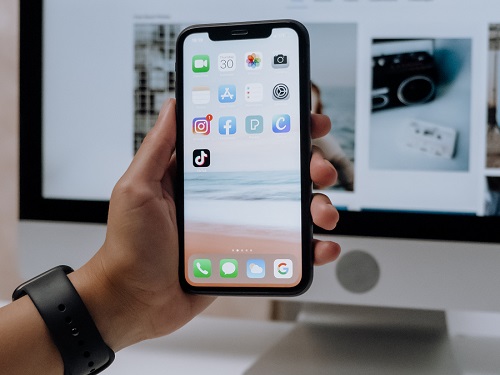
The central part that technology such as digital devices – desktop and laptop computers, smartphones, tablets or e-readers, television, and video game consoles – play in our lives, coupled with factors such as working from home / remotely (working long hours and into the night, or in the wrong visual conditions), and a lack of awareness for / concern about the condition have led to the prevalence of digital eyestrain (DES), also known as computer vision syndrome (CVS).

Digital eyestrain is now common. For example, a US Vision Council survey (2020) found that 60 per cent of people have suffered from digital eyestrain.

Blue Light 

The kind of ‘blue light’ emitted by digital device screens is often cited as being a contributing factor to digital eye strain, and to lack of sleep. Blue light from screens (which is also given-off by fluorescent lights) has shorter wavelengths and higher energy than other colours, and this particular kind of light has been the subject of discussions and research about whether it may contribute to issues such as retina damage, the risk of certain cancers, mental health problems, and childrens’ health problems, e.g. obesity, near-sightedness, and attention focusing issues.

How To Avoid Eyestrain 

Although eyestrain itself is not serious and doesn’t have long-term consequences, it can be very uncomfortable and disruptive. It is, however, preventable and there are many different measures that can be taken to reduce the risk of eyestrain and relieve its symptoms. Examples include:

– Shut out the light. For example, break up longer periods of screen time by sitting or lying down quietly for a few minutes, closing your eyes, and focusing on your breathing. This can obviously be relaxing as well as reducing eyestrain risk.

– Use the 20-20-20 rule. After 20 minutes of looking at a screen, look 20 feet into the distance for roughly 20 seconds to relax the eyes.

– Use an eye compress and ‘palming.’ Place a cool or warm compress (e.g. cloth dipped) in cold water over the eyelids for a few minutes. Alternatively, rub your hands together to create heat and then cup your palms over your eyelids (palming).

– Take measures to block out blue light. These could include wearing blue-light-blocking glasses, changing the brightness and blue light levels in the device/computer settings, install a screen filter (on the phone), or use blue light blocking software.

– Choose a monitor with easy-to-adjust settings and ergonomic adjustments and use an adjustable chair. Adjust your screen or chair so that your eye level is at the top of the screen, and you are sitting 23 inches / 58cm (approximately) away from a screen on a desk and 14 inches / 36cm away when using a laptop.

– Make sure there is proper lighting in the room and arrange the room to avoid glare from uncovered windows, lamps, and overhead light fixtures. Also, be aware that air conditioning units which can dry the eyes.

– Increase the font size or zoom percentage size on the screen when working.

– Take regular breaks away from the device.

– Pay attention to posture, i.e. sit up straight rather than leaning back or forward – too close or too far away from the screen.

– Use eye exercises to help reduce the symptoms of eye strain, e.g. moving a pen towards and away from the eyes while focusing on it, and jumping between focusing on looking at pen close by and a fixation point 3 to 4 metres away (as suggested by Specsavers).

– Take care to blink more often. Research has shown that staring at the screen too long can result in less blinking. Normal blinking ensures that the eyes are moistened, thereby preventing dryness and irritation.

– Have regular, comprehensive eye tests and consider the benefits of getting customised computer glasses from your optician.

What Does This Mean For Your Business?

So much of our work and home life now involves looking at the screens of different devices, often for long periods of time, in different locations, in the day and at night. All these factors can contribute to eyestrain, which research shows 6 out of 10 people have suffered from. In addition to being extremely uncomfortable, it can disrupt work and affect productivity and morale. For businesses in an office setting, it is a case of providing the correct and up-to-date equipment, e.g. fully adjustable monitors and chairs, as well as the appropriate lighting, and giving advice as well as allowing for (and encouraging) breaks from screen time. With remote and hybrid working, businesses can also help by reminding and providing information to workers about how to avoid the risk of eyestrain when working at home and in other settings.

Sustainability : Is Renting An Escooter Really A Green Option?

With some research now showing that rental escooters haven’t reduced carbon emissions in cities, we look at whether they are as green an option as you may think.

US Research 

2019 US research (Hollingsworth, Copeland, Johnson) showed that shared, dockless stand-up rental electric scooters produce 202 grams of CO2 per passenger mile over their lifecycle, which is actually more than an electric moped, electric bicycle, or a diesel bus!

French Research 

A 2020 French study (Annede Bortoli, ZoiChristoforou) also showed that escooter journeys were replacing lower-emitting forms of transport the point where they added 13,000 metric tons of additional greenhouse gases to the carbon footprint of Paris over a year (the same amount as a small town).

Why? 

The causes of escooter rentals in cities not cutting, but contributing to more carbon emissions identified in these research studies are:

– People taking escooters journey where a lower-emitting form of transport would have sufficed. For examples, the US study found that only 34 percent of escooter trips replaced a journey that would have been taken and 7 per cent of trips wouldn’t have happened without escooters, thereby making them look even more like a cause rather than a solution for travel pollution. A 2022 Swiss study (Reck and Axhausen), confirmed this result by showing that a shared escooter creates 51 more grams of CO2 per kilometre than the type of transport it is replacing.

– More carbon emissions being added by the collection and distribution distance of escooter rentals (caused by their small batteries), using less efficient vehicles, and charging strategies that are too frequent.

– The poor design of some early escooter imports e.g., from some Chinese manufacturers, and their manufacturing emissions.

– Poor batteries and the environmental impact of lithium-ion battery replacement and disposal.

How To Make Escooters Greener 

The conclusions from the many different research projects about ecscooters suggest that measures to make escooter rental in cities much greener could include:

– Delivering and collecting escooters in electric vehicles and via optimised routes.

– Rental companies buying more robust and durable escooters e.g., from Segway-Ninebot or Okai, to increase their lifespan.

– Rental companies designing their own escooters with a focus on shared use and longevity.

– Using swappable batteries with a greater capacity, thereby cutting down on the pollution caused by collection journeys.

– Putting rental escooters in places where they are more likely to displace petrol and diesel cars e.g., on the outskirts and not just the centre of cities and towns.

What Does This Mean For Your Organisation? 

It surprising and disappointing that escooter rental in cities is not reducing pollution. However, as shown by the US (North Carolina) study, more than 90 per cent of the carbon footprint of shared escooters is down to manufacturing and operational emissions e.g., having less efficient escooters with small batteries and the need to make too many collection and delivery journeys. Rental companies buying better scooters, using swappable batteries with more capacity, and using electric vehicles for collection and distribution could all help make escooter rental greener. Also, general green improvements

Security Stop-Press : Threat From Exploiting Macros In Microsoft Word Due To macOS Flaw

Microsoft’s 365 Defender Research Team has warned that a flaw in macOS coupled with Microsoft Word’s backward compatibility could allow the circumvention of App Sandbox rules. This could enable potentially malicious macros to run in Word, leading to users downloading malware, or ransomware. The advice is for macOS users to install the security updates released by Apple on May 16, 2022, as soon as possible.

Tech Tip – Instant Google Search From Highlighted Text

If you are reading a web page or blog in Google Chrome and come across a term you’d like to know about, Google has a built-in way to search for that term simply as a result of when you highlight the text with your mouse. Here’s how it works:

– In Google Chrome, find a term or word you’d like to know more about in the text of a web page or blog that.

– Highlight the text with your mouse.

– Right click and select Search Google For “you highlighted words here”.

– Google will then open a new window with the search results for word or term you highlighted.

Tech-Insight : How To Fake Someone’s Voice

Following recent security concerns about Amazon’s plans to enable Alexa to mimic voices, we look at how easy it is to do, what the benefits are, and what risks it poses.

Alexa The Mimic 

Recently, Amazon announced that it was working on technology to enable its Alexa digital assistant to take on the voice of anyone, e.g. the voice of a user or any of their loved ones. It was reported that Rohit Prasad, an Amazon senior vice president, said at a Las Vegas conference that the reason was to help users to “make the memories last” following the loss of loved ones in the pandemic and that a video segment highlighted how Alexa could, in theory, read a story to a child in the voice of his/her grandmother!

Other Voice Mimicking Options 

There are many different options available for creating a fake voice / digitally cloning a user’s own voice. Some examples include:

– Microsoft’s Custom Neural Voice is a text-to-speech feature that allows users to create a one-of-a-kind, customised, synthetic voice for their applications, and build a highly natural-sounding voice by providing their own audio samples as the training data. Microsoft says it can “represent brands, personify machines, and allow users to interact with applications conversationally”. It also has a use in restoring impaired people’s speech.

– Respeecher is a digital voice cloning tool which the company says is “indistinguishable from the original speaker” and has been designed for use by filmmakers, game developers, and other content creators.

– Resemble AI, which offers custom brand voices for assistants, e.g. a user’s own voice for their smart assistant, Alexa and Google Assistant and integrates with DialogFlow, IBM Watson, or any other NLU engine.

– Descript, which is a deepfake voice generator that can be used to create realistic voices based on transcripts or audio clips, and can create a text-to-speech model of your voice.

– Scotland-based ‘CereVoice Me,’ which is a voice cloning system that allows users to produce a text-to-speech (TTS) version of your own voice for Windows.

– iSpeech, a free voice cloning platform to create familiar voice interfaces for products, applications, and services.

– ReadSpeaker, is proprietary voice cloning software that produces text-to-speech (TTS) voices that are indistinguishable from the source and offers a range of TTS engines that allow a cloned voice to speak across all a user’s audio channels: smart speaker apps, interactive marketing campaigns, advertisements, and more.

What Could Possibly Go Wrong? 

The recent announcement of Amazon’s plans to allow Alexa to mimic voices triggered long-held concerns that the cloned voices could be used to launch deep fake audio attacks on some voice authentication security systems.

One real-life example from 2019 is when hackers were able to use AI software to mimic an energy company CEO’s voice in order to steal £201,000 from a UK-based energy company. The CEO of the company received a phone call from someone that he believed to be the German chief executive of the parent company.  The person on the end of the phone ordered the CEO of the UK-based energy company to immediately transfer €220,000 (£201,000) into the bank account of a Hungarian supplier. The voice was reported to have been so accurate in its sound, that the CEO of the energy company even recognised what he thought was the subtleties of the German accent of his boss, and even “melody” of the accent. The call was so convincing that the energy company made the transfer of funds as requested.

Other concerns about the use of voice cloning include:

– Issues of consent and disclosure, i.e. of the person whose voice is used, and informing the listener that the voice is fake. For example, Microsoft has now stipulated that its Custom Neural Voice AI model cannot be used to mimic a voice without that person’s consent, and software will have to disclose that voices are fake.

– Concerns that AI (e.g. for faking voices) is advancing too far ahead of regulation, which has led Microsoft to say that existing customers must obtain permission to continue using the Custom Neural Voice tool from June 30, 2023, and new customers will have to apply to use it, with Microsoft deciding whether the intended usage is appropriate.

– Criticism (by Rights activists) that internal company ethics committees deciding what is appropriate in the use of a voice mimicking software can’t be truly independent and their public transparency is limited by competitive pressures, and that external oversight may be necessary.

What Does This Mean For Your Business? 

Although there are good arguments for value of software that can clone a voice, e.g. interfaces for products, applications, and services, and for use by filmmakers, game developers, and other content creators, there are concerns that they could also be used to make deepfakes for sinister purposes. For examples, this could be to get past voice authentication security systems, or to impersonate people to obtain money. There are also ethical concerns about how producers of these tools decide upon appropriate usage and matters of consent. Clearly, a balance needs to be struck and many people feel that more regulations and external oversight are needed to limit risk and potential harm.

Tech News : Why AI Systems Can’t Patent Inventions …Yet

Following a recent Intellectual Property Office (IPO) consultation, it has been decided that AI will not be allowed to patent inventions.

What’s The Issue? 

As highlighted by a legal battle dating back to 2018, some people believe that if AI systems invent something, they should be granted the status of being listed as the inventor in the patent for the invention. For example, Stephen Thaler, creator of an AI system called Dabus (which invented a type of food container with enhanced insulation & stacking properties and also an attention-grabbing flashing light for emergencies) listed Dabus as the creator of the inventions when patents were filed for them back in 2018. This led to a court case (and an appeal) where a UK panel ruled by a two-to-one that majority that an inventor must be a real human person under UK law, not an AI system.

IPO Consultation Agrees With Court of Appeal’s Verdict 

The recent IPO Consultation document (online) agrees that for AI-devised inventions “we plan no change to UK patent law now. Most respondents felt that AI is not yet advanced enough to invent without human intervention.”  Also, the IPO Consultation notes that, of the world’s countries, the “overwhelming majority, including the UK, restrict patent inventorship to natural persons” and that “UK patent applicants must name a human inventor or inventors. This was confirmed by the Court of Appeal.” 

However, Under Review 

Although it has been decided that at the current time, in the UK, AI systems can’t be named in patents as the inventor, this view may change. For example, the IPO’s consultation document says that “we will keep this area of law under review to ensure that the UK patent system supports AI innovation and the use of AI in the UK” and that “we will seek to advance AI inventorship discussions internationally to support UK economic interests”. 

No Copyright Law Change For Computer-Generated Works (CGWs) 

Computer-generated works (CGWs) are copyright works without a human author and are currently protected in UK copyright law. The IPO’s consultation document states that there is no evidence at present that protection for CGWs is harmful and that it plans no changes to the law for CGWs, although this law will be kept under review.

Text And Data Mining (TDM) – Law To Change 

TDM refers to using computational techniques to analyse large amounts of information to identify patterns, trends and other useful information. TDM is used for training AI systems and in journalism, marketing, business analytics and by cultural heritage organisations. One of the main copyright issues with TDM is that, although factual data, trends, and concepts are not protected by copyright, they are often embedded in copyright works. Also, some rights holders license their works to allow TDM, but others do not, and this can mean financial costs for people using data mining software.

The UK government is keen to make it easier for people to data mine copyright materials in order to support AI and wider innovation in the UK. Also, the IPO’s consultation revealed that, costs of licensing is high and there are difficulties in obtaining licences (especially when many rights holders are involved). Therefore, the IPO has confirmed that it will be introducing a new copyright and database exception which allows TDM for any purpose.

Actors Seek To Protect Livelihoods From AI 

It is interesting to also note that, back in April 2021, the performing arts workers union ‘Equity’ launched a “Stop AI Stealing the Show” campaign, which called for changes in the copyright law to stop AI from using samples of an actors’ voices or faces to generate content such a deep fakes. Equity was (and still is) worried that current copyright laws make it too easy for AI systems to replace skilled professional performers in many different areas, including automated audiobooks and digital avatars.

What Does This Mean For Your Business? 

The fact that there is the need for an IPO Consultation of this kind about AI shows that it is making incursions into many areas and as it develops and improves, this will continue, hence the need to keep some of the copyright laws under review. Many skilled people in business will be aware of AI tools that can now be used to perform tasks that were part of their jobs before, and it is not surprising, therefore, that Equity has been seeking more copyright protection against AI. The government clearly want to be seen as “the most pro-tech Government ever” and, as such, appears to be looking to change things in favour AI where possible. However, there is an argument that AI and its applications are advancing too far ahead of regulation. For the moment, most countries, including the UK, still think that an AI system cannot in reality be the sole inventor of something as named on patents because human involvement is needed, but the rate at which AI is advancing, and the fact that this law remains under review (in the UK) suggests that this view could change in the near future.

Tech News : Dramatic Decrease in Crypto Consumption of Power

Rising electricity prices, energy-hungry crypto mining operations and falling cryptocurrency prices are thought to be behind a significant decrease in the amount of electricity being used for crypto mining.

What Is Crypto Mining? 

Crypto mining, such as Bitcoin mining, uses specialised computers that are constantly powered-on and connected to the cryptocurrency network to verify transactions (sending and receiving of the Bitcoin cryptocurrency). This verification is achieved by the computers solving puzzles to prevent fraud and to win small amounts of Bitcoin. The whole process is extremely energy hungry.

Power Consumption Massive – But Down 

In June last year, for example, researchers from Cambridge highlighted how Bitcoin mining was consuming a staggering 21.36 terawatt-hours (TWh) a year! This means that if Bitcoin were a country, its energy (electricity) consumption would be ranked above Argentina and the energy could power all the kettles in the UK for 27 years.

However, it has recently been reported that electricity consumption of the Bitcoin network has fallen by a third from its high of 11 June this year, although a single conventional Bitcoin transaction still uses the same amount of electricity that a typical US household would use over 50 days!

Also, the electricity used for Ethereum, which has been boosting crypto projects of late, has also decreased from a peak of 94TWh a year to 46TWh a year.

Fall In Value 

Cryptocurrency commentators have also noted that the fall in energy consumption has been accompanied by a fall in cryptocurrency value. For example, Bitcoin’s value has fallen by two-thirds from its all-time high of $69,000 in November 2021. Also, CoinMarketCap figures show significant falls in the value of Ether, Solana, and Dogecoin and, indeed, the market capitalisation of the whole crypto economy has fallen to $945 billion from $3 trillion in less than eight months.

Why?  

The fall in energy consumption by the big cryptocurrencies is believed to have been the result of a combination of several key factors which are:

– Rising energy prices causing higher costs for what is an extremely power-hungry business.

– The falling price of cryptocurrencies means reduced values of crypto mining rewards to miners. Those using suboptimal equipment or mining in suboptimal circumstances (e.g. inefficient cooling) have, therefore, seen a significant reduction in profits, with many of them going out of business.

– The inflexibility of Bitcoin mining equipment; i.e. it cannot be repurposed.

– The huge price collapse having negatively affected the wider cryptocurrency sector, e.g. failure of the ersatz crypto bank Celsius.

The Start Of A Crypto-Winter? 

The fall of energy consumption, the fall in crypto values, plus the ripples across the whole cryptocurrency sector have prompted some cryptocurrency commentators to suggest that this is the beginning of a “crypto-winter” (a period of lower cryptocurrency prices), such as those seen in late 2017 to December 2020, and that it looks unlikely that there will be much growth in the cryptocurrency market this year as a result. Some commentators have even suggested a collapse of the cryptocurrency market rather than just a period of lower prices.

What Does This Mean For Your Business? 

Many businesses now accept cryptocurrency as payment for goods and services and there is an estimated 30+ million crypto traders around the world, so a further decline and even collapse of the market could cause some significant repercussions. Those who have studied and invested in cryptocurrency for some time, however, recognise that the big cryptocurrencies tend to have a cyclical nature, and just as there have been ‘winters’ in recent years, this too may simply be the early stages of such a price winter. Some investors are even suggesting that it presents an opportunity to buy while prices are low with a view to making big profits when the market recovers. The failure of the ersatz crypto bank Celsius does appear to have affected the whole market, and the high energy prices are liklely to thin the market out so that only those crypto-miners with the best equipment and in the best circumstances stand the best chance of continuing. There has, up to this point, been no guarantees with cryptocurrency anyway and many see this as being simply another period of volatility that has characterised the early growth of cryptocurrencies so far.

Featured-Article : Google Workspace vs Microsoft 365

In this article, we take a brief look at the relative merits of Office 365 compared to Google Workspace and how Google’s recent introduction of features and greater integration have been aimed at challenging Microsoft 365’s dominant position.

Google Workspace 

Many of us are likely to have started with a Gmail account and witnessed how, what was G Suite, has expanded over the years into offering a range of cloud-based software services from a single sign-in, e.g. Gmail, Photos, Drive, Meet, Calendar, Sheets, and more. G Suite was rebranded to Workspace in October 2020, back when collaborative home working became a necessity for many. The name reflected the business focus and the idea that the apps are connected and more integrated with each other. Google, therefore, introduced new business-focused subscription options, i.e. ‘Business family,’ to tempt smaller businesses into trying its collaborative Google Workspace, and ‘Enterprise family’ for larger businesses. Although, at the time, Google’s communications focused asking existing G Suite legacy users to make the “transition,” it was also clearly setting up a service that would appeal to 365 users.

New Feature 

Google’s recent announcement of a new feature, allowing Workspace users to edit Microsoft Office files offline from within Google Workspace’s productivity suite /G Suite indicates a clear competitive move to try and lure Microsoft 365 users over to Workspace. Although Google announced in 2019 that Workspace users could edit Microsoft Office files in Google Docs, Sheets, and Slides, and edit Google Docs, Sheets, and Slides in offline mode, the new feature rounds this off by enabling workspace users to work offline with Microsoft Office files on the desktop.

Google states that the features “brings the collaboration benefits of Google Workspace to Microsoft Office files”, and highlights how users can edit, comment, and collaborate on Office files using Docs, Sheets, and Slides offline, with any changes made to files while offline syncing to Drive once a connection is restored.

Some tech commentators see this latest feature as lowering the barriers to switching by potentially easing the transition between Microsoft and Google services. The feature may also directly appeal to business customers looking for an easier way to use key Microsoft 365 apps – e.g. Word, Excel and PowerPoint when working with clients and partners.

Gmail Change Too 

Google has also recently changed Gmail to work better with its Workplace plans and allows for the kind of faster, more integrated experience that may be expected for a platform that aims to challenge 365. The change to the left-hand side panel allows users to quickly navigate between Gmail, Chat, Spaces and Meet.

Is Workspace Really A Serious Threat To Microsoft 365? 

Microsoft still dominates the office software market, and a US-based OnePulse / TechRadar Pro survey from May showed that 58.2 per cent of businesses use Microsoft 365’s productivity suite, compared to only 15 per cent choosing Google Workspace. Also, Google’s figures in Q1 2022 showed revenue of $5 billion for its cloud services compared to Microsoft’s $15 billion for its productivity segment.

Why Does Microsoft Office 365 Still Appear To Be More Appealing?

There may be several reasons why, despite a raft of new features and improvements to Workspace, Microsoft 365 is still such a popular choice for businesses. These could include:

– The risk, perceived complications, and costs of switching from the market leading, fully integrated platform that businesses may have used for many years.

– Although Workspace may have been seen as a potentially cheaper option, prices for Microsoft for many people may be cheaper, e.g. Microsoft 365 Essentials compared to Google Workspace Basic and the perceived value of Microsoft’s bigger businesses packages may be higher despite slightly higher prices.

– The flexibility that a mixing of licences with Microsoft may provide.

– The familiarity and experience with Microsoft apps in the marketplace – e.g. Word, Excel, and Outlook, which can help with recruitment and productivity. Companies may be more likely to find employees with a good working knowledge of Microsoft 365 compared to Google Workspace products.

– The rise of remote and now hybrid working drove the growth of Teams and, therefore, a continued loyalty to Microsoft, whereas Google Hangouts has not proven to be as popular, with many opting for Zoom instead.

What Does This Mean For Your Business? 

Google has really increased investment in Workspace and introduced a large number of work-focused features and integration of its many products, especially since 2020, as a way to present Workspace as a serious alternative to Microsoft 365. However, Microsoft has built up huge numbers of loyal users and remained the clear market leader in office computing over the years. With its cloud-based 365 and the growth of important collaborative elements such as Teams, it has continued its growth through the remote-working pandemic years and user figures show that it is still very much on top. Although there are plenty of comparable features between Workspace and 365, and integration within Workspace and its breadth of services have increased, the costs and risks of switching from 365 to Workspace may appear too much for many businesses. For newer businesses, the re-assurance of choosing the most popular platform with its widely used apps like Word, Outlook, and Excel may also seem like the safest option, and Google still has a very long way to go to challenge Microsoft’s dominant market position.